Find Unknown Callers: 6 Best Reverse Phone Lookup Free
By Space Coast Daily // February 19, 2025

“Who the heck just called me?!” – if that’s your reaction every time an unknown number pops up, you’re not alone. Spam calls are out of control – over 50 billion robocalls bombarded Americans last year.
Fake IRS threats, sketchy prize winnings, and relentless spam calls are now the norm. Scammers are getting sneakier, spoofing real numbers, and dodging caller ID filters like pros.
But not every unknown call is a scam. For instance, it’s your birthday and your phone rings. The number isn’t saved, but the voice on the other end sounds… familiar. An old friend? A long-lost relative? Or yet another robocall trying to push an extended car warranty? Instead of awkwardly asking, “Uh, who is this?” – why not get the answer in seconds?
That’s where the best reverse phone lookup free tool comes in. With the right app, you can instantly ID unknown numbers, verify callers, and block repeat offenders. Enough for guessing – it’s time to find the top free reverse phone lookup app for you!
But not all tools work. Some show just enough info to reel you in, then slap you with a paywall. Others serve up outdated or flat-out wrong data. That’s why we’ve done the legwork and ranked the top 6 most reliable options.
In this article, you’ll find the fastest, easiest-to-use lookup services. Take control of your calls!
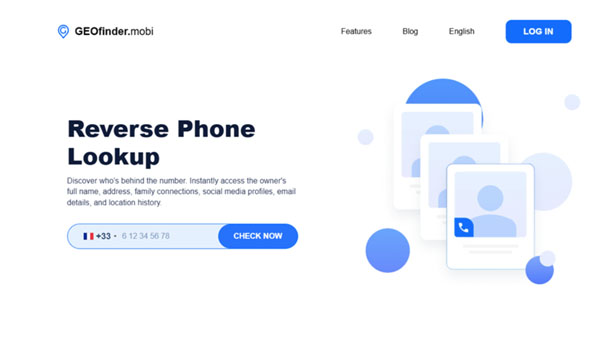
GEOfinder.mobi: The Ultimate Free Reverse Phone Lookup App
You’ve probably found yourself in this situation: you get a call from a random number, and for your life, you can’t figure out who it is. Maybe it’s an old friend, a family member, or another annoying scammer. GEOfinder.mobi takes all the guesswork out of the equation and lets you uncover exactly who’s behind that number.
This app doesn’t just stop at revealing names – track their location, uncover family ties, find their social media profiles, and more. It is one of the best reverse phone lookup tools, and you can get your hands on it with the GEOfinder trial for free.
With just a couple of clicks, here’s what you can find:
- Full name;
- Home address;
- Family members;
- Social media profiles;
- Email addresses;
- Location history;
- Web activity.
GEOfinder Features
- Works with any phone: It doesn’t matter if they’re rocking an iPhone, Android, or something else. GEOfinder tracks it all.
- Supports all networks: It doesn’t matter if they’re on Verizon, T-Mobile, or other – you can still track them down.
- Totally anonymous: Track someone without them knowing. Zero trace.
- No installation is needed: Skip the downloads and complicated installations. Just use the browser, and you’re good to go.
How to Get Started with GEOfinder.mobi
Starting with the GEOfinder reverse phone lookup feature is simple and takes just a few minutes. Here’s how it works:
- Type in the number: Enter the phone number you want to track, no matter where it’s from – worldwide coverage!
- Enter your email: Provide your email address to receive the results and keep track of everything.
- Get the 1-day subscription: Purchase a $1 subscription for 1 day to access the full details.
- Unlock the info: Instantly access all the details about the person behind the number.
GEOfinder.mobi: Pros and Cons
| Pros | Cons |
| It works with any phone, so no device is off-limits. | A free trial is available for a limited time with a payment required after that. |
| Universal compatibility. It doesn’t matter what network they’re on – you’ve got full access. | |
| Totally anonymous. Track without anyone knowing it’s you. | |
| No app installation. You can use it straight from your browser. |
TruthFinder: Easy Solution for Reverse Phone Lookup
If you’re looking for a simple, no-fuss way to identify unknown numbers, TruthFinder is a solid choice. Just plug in the number, and within seconds, you’ll uncover details like the caller’s name, location, and maybe even their email or background. While the basic lookup is free, advanced features like unlimited searches and full background checks require a premium plan.
TruthFinder Features
- Easy to use: No complicated steps – just type the number, and you’re good to go.
- Save info as PDF: Store data in a PDF to keep all the info handy.
- Block or report spam: Block annoying callers or report them straight from the app.
- Access location & email: You’ll get the caller’s location and linked email address.
- Background checks: Want more details? TruthFinder gives you the option for a full background check.
TruthFinder: Pros and Cons
| Pros | Cons |
| Simple Interface. You don’t need to be a tech guru to use it. | Limited free access, so you’ll need to pay for more detailed info and unlimited lookups. |
| Keep everything organized by saving info in a PDF. | The app accesses personal data, which can raise some privacy questions. |
| Block and report spam calls. | If you need ongoing access to the premium features, it can get pricey. |
Reverse Phone Lookup by WhitePages
WhitePages is often in the ranks of the best reverse phone lookup free tools. It is an easy-to-use service that helps you quickly identify callers. It is good for dealing with those annoying scammers. Landline numbers are free to look up, but you must pay for cell phone numbers. That said, WhitePages pulls info from an enormous database and constantly updates it, so the details you get are fresh and reliable. Plus, they’ll notify you if anything about the number changes down the road.
It’s fast, simple, and gives useful details like location and family connections. But if you’re dealing with a cell number or need more in-depth information, you’ll have to pay for that extra info. It’s not perfect, with occasional inaccuracies, but overall, it’s a reliable and easy-to-use tool.
Features of WhitePages Reverse Phone Lookup
- Free landline lookups: You can search landline numbers without hidden fees.
- Fast: Type in the number, and results appear in seconds.
- Detailed information: Besides the name, you can also get details like location, potential family connections, and more.
- Spam risk detection: WhitePages flags numbers that are likely spam, helping you avoid unnecessary calls.
- Fresh info: With regular database updates, you get up-to-date details every time.
WhitePages: Pros and Cons
| Pros | Cons |
| No cost for basic landline searches. | If you want info on a cell phone number, you’ll need to pay. |
| Get the info you need in no time. Just type, click, and you’re done. | Some users have found the info outdated or flat-out wrong. |
| Know which numbers to avoid with spam risk alerts. | The free lookup might not give you all the details you want, especially if it’s a private or unlisted number. |
Truecaller: Phone Number Detective
Truecaller is the go-to app for knowing who’s behind that unknown number. It helps instantly identify callers, block spam, and save details for future reference. Truecaller offers more than just reverse phone lookup. You can use it as a messaging and calling platform, all while blocking unwanted calls and texts automatically. Plus, you can create a personalized profile and link your social media accounts.
Features of Truecaller
- Automatic spam blocking: No more dealing with robocalls or spam messages. Truecaller blocks them for you.
- Messaging & calling: You can make calls and send messages straight from the app – just like any other communication tool.
- Customizable profile: Sign up, create your ID, and add a profile picture.
- Social media info: Even with the free version, you can see social media profiles and pictures linked to the number.
Truecaller: Pros and Cons
| Pros | Cons |
| Automatically blocks spam calls and texts, keeping your phone clean and quiet. | For first-time users, getting everything set up can be a little confusing. |
| Beyond the reverse phone lookup, you can send and receive messages from the same platform. | You’ll need to upgrade to a premium plan if you want access to more advanced features. |
| Save your searches for future use – no need to look it up again. | Privacy concerns. Some users may feel uneasy about sharing their contact info or using the app for social media purposes. |
BeenVerified: Go-To Phone Lookup Tool
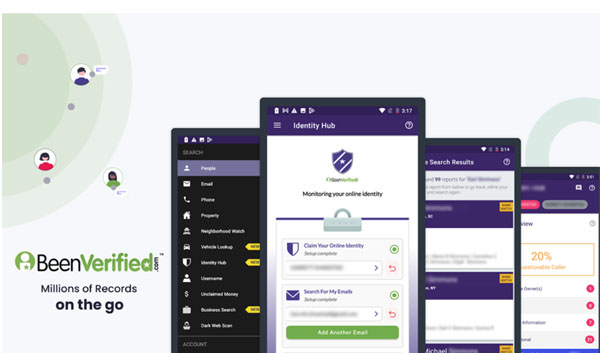
BeenVerified is among the best reverse phone lookup free tools that make it easy to find basic details about any phone number, from spam callers to potentially important contacts. Moreover, BeenVerified takes your privacy seriously, ensuring all their services comply with privacy laws. If you run into any issues, their 24/7 customer support is just an email away to help guide you through anything, especially if you’re exploring premium features.
Features of BeenVerified
- Simple to use: Just type in the phone number, hit search, and get the details.
- Save the data: Save and download the caller’s information for easy access later.
- Email reports: Once the info’s gathered, BeenVerified will send it to your inbox to check it wherever you are.
- 7-day free trial: Want to test the premium features before committing? You get a full 7-day free trial to see if it’s right for you.
BeenVerified: Pros and Cons
| Pros | Cons |
| 7-day free trial with premium features – no need to pay upfront. | You must enter your credit card details to start the free trial. |
| When it comes to phone lookups, you’ll get accurate and up-to-date information. | After the phone lookup free trial, it auto-renews to a premium plan, so don’t forget to cancel if you don’t want to continue. |
| 24/7 live chat and email support to assist you whenever needed. | While they offer live chat, the response times can be slow, especially during peak hours. |
Conclusion
Unknown calls are something we all deal with, but you don’t have just to answer blindly anymore. A reverse phone lookup tool helps you protect your privacy, avoid spam, and identify unknown callers easily.
There are plenty of tools out there, but after testing several, GEOfinder.mobi outcompetes as the best reverse phone lookup free. It’s simple to use and delivers what it promises. If you’re after a reliable reverse lookup app, GEOfinder.mobi is hands-down our top pick.