Creating a UI Kit For a Web Project
By Space Coast Daily // December 4, 2023
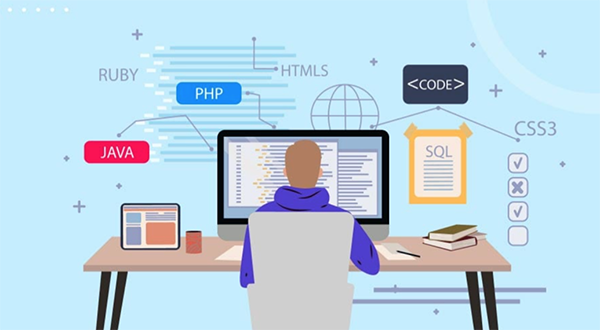
A UI kit helps organize the elements, colors, and typography used in a web project, as well as bring the interface to a unified style, thereby improving the user’s perception of the project.
If you are looking for a web portal development company to implement bold UI ideas, then this article will allow you to approach this process more thoroughly.
What Is a UI Kit?
The UI kit is a set for designing a user interface. This set consists of interface elements: buttons, input fields, switches, lists, icons, tables, and rules for the use of fonts, color palettes, indents, grids, and effects.
A UI kit is a library of components used in a project that designers and developers consult.
- Designers use a UI kit to render new page layouts or add new elements to a site.
- Developers use a UI kit to visualize what each element looks like and how it should work in different states.
UI kit makes it easier to work with both complex multi-page sites and landing pages that contain a large number of elements.
In large projects, elements with different functionality are repeated across a large number of pages. And the UI kit allows you to save time since you don’t need to draw a new layout every time – template elements are always at hand.
Why Does a Project Need a UI Kit?
The UI kit is designed to organize all elements of the project and optimize labor costs: the designer does not need to draw a new element and its states every time. As a result, the project is completed in a shorter time and without loss of quality of work.
There are no measurable indicators for assessing effectiveness: all projects are unique, from the purpose of development and the wishes of the customer to the amount of text and visual content used.
Each element can be used on a large number of pages, and in the case of a large project, a UI kit is simply necessary. For example, if the site uses buttons, menus, feedback forms, and a footer that are repeated on each page of the project, all this can be shown in the UI kit.
In addition to increasing the speed of project completion, the UI kit has other advantages:
- Improving the quality of communication within the project team.
UI kit helps build collaboration between designers and developers, making it more productive. If it is necessary to make edits from the customer, the developer, having access to the document with all the elements, will be able to use the UI kit and select the required element without involving a designer.
- The final product is perceived as a single whole.
UI kit helps the target audience to correctly perceive the project: corporate website, online store, blogs and news sites, web and mobile applications.
- Designer skills are developing.
When rendering each element, the designer needs to immerse himself in the task of the element and understand how it can behave in operation. As a result, the designer gains additional experience, develops accuracy, and, most importantly, learns a deep understanding of functionality in the broad sense of the word.
How To Create a UI Kit?
Since a UI kit is a library of elements, it must have a structure. You can arrange elements in different ways: for example, by styles, interface elements, images, and icons.
To make the project complete and not have to redraw everything several times, it is better to start with the formative elements, and gradually move on to drawing the pages.
The constituent elements include:
- Style-forming elements: color palette, typography, modular grids, shadows, roundings.
- Interface elements: buttons, forms, lists, switches.
- Images: icons, illustrations, avatars, photos.
Tool Selection
First of all, you should decide on a tool for creating interfaces. Often, Figma, Sketch, or Adobe XD are used for such purposes. An experienced web portal development agency knows which tool to choose for a specific project.
Creating Style Elements
When choosing a color palette, it is worth starting with the brand’s corporate colors and the functionality of the interface: show warnings and errors, hierarchy, and various graphics. It’s best to start with one or two brand colors and add those that are needed for function.
Next, all the fonts used are divided into styles. For a harmonious perception, it is better to use a limited number of fonts: usually 1–2 are used.
Using a modular grid based on columns, rows, and padding, the layout looks orderly and organized. The size of the layout and columns depends on the goals of the project: you need to use different sizes for the desktop and mobile versions of a website or mobile application.
Working With Images
The project may use icons for navigation, various warnings and errors, and elements to highlight information.
Icons of different sizes can be used for different functions – you should immediately decide on the size and put them into components for ease of use.
If the project has avatars, it is worth showing the alternation of their sizes and drawing examples of placeholders before uploading photos. If you already know which photos will be added to the project, show them in the required sizes.
Collection of Interface Elements
When working with buttons, you need to take into account as many types and states as possible (default, hover, pressed, disabled). The different sizes of a single button should be taken into account. Available in large, medium, and small sizes for different functions. If the product is used in both the desktop and mobile versions, it is worth showing how the button sizes change.
In addition to buttons, it is necessary to specify the use of radio buttons, checkboxes, and radio buttons. Radio buttons are used in a list where you can select only one option, and checkboxes are used where there can be several options. Switches allow users to select On or Off. The element should be of such a size that it is easy to click. It is necessary to take into account the distance between the element and the text, show the list, and what distance will be between the elements.
Wrapping It Up
With the help of a UI kit, a web or mobile project will not only be perceived more holistically but will also allow you to interact with interface functions more easily and predictably. With the help of a UI kit, a web or mobile project will not only be perceived more holistically but will also allow you to interact with interface functions more easily and predictably. We recommend contacting the web portal development company Digiteum if you want to get a quality product, including the creation of a UI kit, web development, and testing.