
CAD/CAM Personnel Training: How to Quickly Onboard a New CNC Programmer
By Space Coast Daily // February 2, 2026
After years of experience with technical teams, a common pattern emerges: a promising new CNC programmer joins, everyone is excited, but three months later they are still struggling with basics. This lack of progress is a widespread issue.
Most companies simply hand the new hire to a swamped senior programmer and hope for the best. Some facilities struggle to keep programmers past eighteen months. The owner may blame “job-hopping millennials,” but the real problem is often zero training structure.
Common Pitfalls in Training New CNC Programmers
The “sink or swim” approach
A new programmer gets a desk, outdated documentation, and the instruction to “ask if you need help.” This approach has led to the loss of programmers in six months at a cost of $40,000 each in recruiting and lost productivity at some facilities. While some individuals survive it, using exceptions to justify the approach is inefficient.
Information overload
Others dump everything at once—all modules, every post-processor, complete tooling catalogs. New programmers cannot distinguish “must know now” from “eventually useful” and end up paralyzed. Trainees have reported being given hundreds of pages of documentation early on, resulting in two weeks of reading and only a 20% understanding, still leaving them unable to program an actual part.
No practical experience
CNC programming cannot be learned from just manuals. Yet, some programs keep people from production work for weeks. Then reality hits—tool changes during runs, less-than-perfect stock, machine quirks. The disconnect between theory and practice creates false confidence.
Unclear evaluation criteria
When is someone ready? Most places have no answer—just “gut feeling.” Pushing them out early can lead to scrap parts and damaged confidence. Waiting too long results in frustrated programmers who know they are ready but are not trusted. Programmers have been known to quit during their final training months due to this lack of clarity.
The 30-60-90 Day Framework
This is a three-phase approach that balances structure with flexibility.
Days 1-30: Foundation
Week 1 – Environment basics. Shop floor layout, safety, software navigation, team introductions. Time spent on tool library organization, though tedious, prevents countless headaches later.
Weeks 2-3 – Simple 2.5D parts. Basic pockets, holes, profiling. Introduce one new concept per exercise. Allowing mistakes on non-critical parts—programmers who debug their own errors learn faster.
Week 4 – First supervised production work. Review programs before they hit the machine. Stack the deck with easier parts and forgiving materials. Confidence matters; early wins build momentum.
Days 31-60: Development
Increasing complexity – Multi-setup parts, 3D surfaces, tighter tolerances. Introducing all machine types at once often confuses the trainee, leading to mixed post-processors. Focusing on one system before moving to the next is slower individually but faster overall.
Partial independence – By day 45, the programmer handles routine parts solo while complex jobs get reviewed. This phase builds judgment: What is the best approach? When to optimize versus accepting “good enough”? When to ask for help?
Problem-solving exposure – Real-world chaos: rush jobs, missing specifications, rework situations. Introducing ‘chaos’—structured work most of the week followed by Friday afternoon messiness—is a valuable training method. Trainees may initially dislike it, but often later report it as the most valuable training.
Days 61-90: Refinement
Full independence – Weekly check-ins replace constant oversight. Conduct thirty-minute one-on-ones to discuss recent programs, challenges, questions, and feedback.
Specialization – Let it emerge from aptitude. If a programmer shows unusual talent, for example, for fixture design, their development can be channeled accordingly in month three.
Knowledge sharing – Have them document a process or lead a lunch-and-learn. Teaching reinforces learning.
Balancing Theory and Practice
Aim for 60% hands-on and 40% theory, though percentages shift. Week one might be 50-50, but month three should be 80-20.
Use real parts from day one. When explaining feeds and speeds, referencing actual parts—”This aluminum runs at X, this steel at Y, here’s why”—creates a physical connection that helps learning stick.
Practice exercises should mirror production—simplified versions of real parts, not abstract shapes. Developing graduated complexity levels based on actual work ensures trainees see immediate relevance.
Evaluation Criteria for Independent Work
Technical competency markers:
- Can the programmer process typical parts without guidance?
- Does the programmer select tools and parameters appropriately?
- Can the programmer identify collision issues before they happen?
- Can the programmer debug common errors independently?
Also assess problem-solving ability—how they respond to unexpected situations. Communication and collaboration are key—can they explain decisions, take feedback, and coordinate with operators?
An informal final test is to ask: Would the supervisor be comfortable leaving this programmer in charge for a day? If constant worry remains, the programmer is not ready. If the programmer is expected to be fine and call only for unusual situations, that is the green light for independence.
Software Interface Impact on Learning Speed
Interface complexity directly affects training time. Systems range from “intuitive enough to explore” to those requiring a manual for six months. The difference in training time is dramatic.
Legacy systems often require five clicks for what should take two, using terminology that confuses newcomers. When a shop upgrades from older software to a modern platform, the benefit can be immediately noticeable, with the software effectively doing half the teaching.
What helps trainees learn faster:
Visual feedback – Real-time simulation, collision detection with clear warnings, and easy-to-interpret toolpath verification. When trainees see consequences immediately, cause and effect learning accelerates.
Contextual help – Built-in guidance appearing when needed. Systems with contextual tips based on current work can cut training time on features by half.
Intuitive organization – Tools organized by workflow, not buried three menus deep. This prevents constant friction.
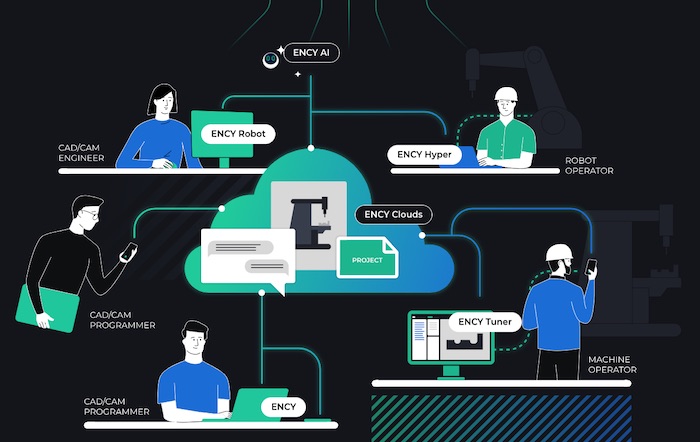
Modern platforms like ENCY are designed with onboarding in mind. The interface focuses on intuitive workflows rather than requiring extensive training. Features are organized around how people actually work, not assumptions from two decades ago.
Particularly interesting are real-time collaboration tools built directly into the environment. When trainees can share screens or ask for help without leaving the software, it removes the “figure it out myself” versus “need help” barrier that slows learning.
New programmers typically become productive with modern interfaces in about 60% of the time required by older systems, saving a month or more of training time.
Training Investment Versus Turnover: Financial Model
Everyone sees the obvious training costs—salary during low productivity, supervisor time, and potential scrap. But hidden costs often exceed visible ones.
Real costs of inadequate training:
- Scrap and rework—some facilities have lost $15,000 quarterly to undertrained programmers.
- Production bottlenecks—one slow programmer can reduce two others’ output by 15% each.
- Lost opportunities—senior programmers hand-holding instead of working on complex projects.
Calculating ROI:
Direct training costs: ~$30,000-40,000 for a comprehensive program (including salary).
Poor training costs:
- Replacement hiring: $5,000-10,000
- Lost productivity during vacancy: $10,000+
- New hire training: another full cycle
- Knowledge loss: hard to quantify but real
If someone leaves after six months, the loss can be $50,000–75,000.
Break-even analysis:
For four hires per year:
- Poor training (40% turnover): 1.6 replacements = ~$100,000
- Good training (15% turnover): 0.6 replacements = ~$35,000
- Difference: $65,000
This difference pays for structured programs, better materials, and software upgrades.
Long-term value: well-trained programmers who stay develop deep product knowledge, require less supervision, train others, and drive improvement. Companies that invest heavily in training have seen average tenure rise significantly above the industry average. Productivity, quality, and customer satisfaction are often measurably higher in these cases.
The intangible: companies known for good training attract better candidates. When hiring, the quality of applicants can improve noticeably when it is communicated that the company provides proper training.
Making It Work
Frame training as risk management—poor training means scrap, quality issues, safety incidents, and turnover. Show competitive advantage—tight labor markets favor companies with strong training.
Start small and prove results. One simple change, such as a structured two-week plan, has reduced time to the first independent part by 18%, funding next improvements.
The truth is that training requires time and investment. The choice is not between training or not, but between deliberate, effective training and accidental, poor training.
Every hour invested likely saves ten later. Every dollar spent returns multiples in reduced turnover, higher productivity, and better quality.
Observing companies that succeed and fail reveals that the real secret isn’t revolutionary. It is a commitment to doing it right: structured progression, hands-on practice, clear criteria, and tools that support trainees every step.
While more work is required upfront than throwing people in and hoping, the investment is worthwhile every single time. Facilities that get this right don’t just have better trained programmers; they have better retention, higher morale, more innovation, and ultimately, more profitable operations.













