The Ultimate First-Timer’s Guide to Setting Up a European eSIM on Your iPhone Before Takeoff
By Space Coast Daily // May 29, 2025
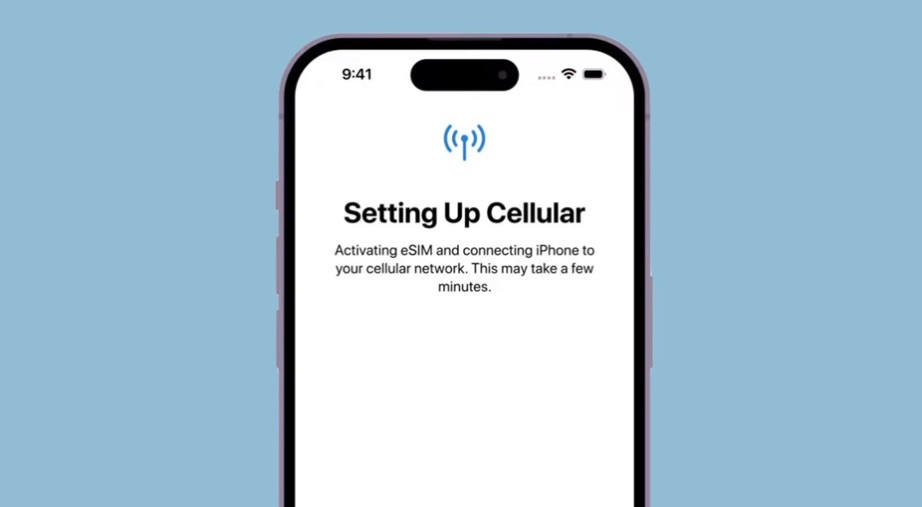
Traveling to Europe is a dream for many, filled with visions of cobblestone streets, historic landmarks, and vibrant cultures. But for first-time travelers, one worry often looms large: staying connected without racking up astronomical roaming fees or dealing with spotty service. The fear of getting lost in a foreign city with no GPS or being unable to message loved ones back home is real. Fortunately, eSIM technology has revolutionized how we stay connected abroad, offering a seamless, cost-effective solution for iPhone users. In this comprehensive guide, we’ll walk you through everything you need to know to set up a european esim card for iphone before your European adventure, from choosing the right plan to troubleshooting setup issues. Let’s dive in and ensure your trip is as connected as it is unforgettable.
What Exactly is an eSIM and Why It’s Perfect for European Travel
The idea of staying connected across multiple European countries can feel daunting, especially with traditional roaming plans that often come with hefty price tags or unreliable coverage. Enter the eSIM, a game-changer for modern travelers. This section breaks down what an eSIM is and why it’s ideal for your European journey.
Definition of eSIM Technology in Simple Terms
An eSIM, or embedded Subscriber Identity Module, is a digital version of the traditional physical SIM card. Unlike a physical SIM, which you insert into your phone, an eSIM is built into your device and activated digitally through a QR code or app. This means no more fumbling with tiny SIM cards or worrying about losing them during travel. For iPhone users, eSIMs offer a convenient way to connect to local networks in Europe without swapping out your home SIM.
Comparison Between Physical SIM Cards and eSIMs
Physical SIM cards require you to visit a store, purchase a card, and manually insert it into your phone. This can be time-consuming, especially if you’re navigating language barriers or long lines at airports. eSIMs, on the other hand, can be purchased online before you leave, activated in minutes, and managed directly from your iPhone’s settings. Plus, eSIMs allow you to keep your home SIM active, so you can receive calls or texts on your primary number while using a European data plan.
Benefits Specifically for Travelers Visiting Multiple European Countries
Europe’s diverse landscape means you might visit France, Italy, and Spain in a single trip, each with its own mobile networks. An eSIM with pan-European coverage eliminates the need to buy a new SIM card in every country. It provides seamless connectivity across borders, ensuring you stay online whether you’re navigating the Louvre or posting photos from the Colosseum. Additionally, eSIM plans often offer flexible data options, letting you choose what suits your travel style without overpaying.
iPhone Compatibility Timeline (Which Models Support eSIM)
Apple introduced eSIM support with the iPhone XS, XS Max, and XR in 2018, and it’s now standard across all newer models, including the iPhone 11, 12, 13, 14, and 15 series. If you’re using an older model like the iPhone 8 or earlier, you’ll need to rely on a physical SIM or Wi-Fi. To confirm your iPhone supports eSIM, check Apple’s official specifications page (https://www.apple.com/iphone/cellular/) for your model.
Before You Leave: Essential Pre-Trip Preparation
Preparation is key to a stress-free travel experience, and setting up your eSIM starts before you board your flight. This section covers the critical steps to ensure your iPhone is ready for European connectivity.
Confirming Your iPhone’s eSIM Compatibility
Before purchasing an eSIM, verify that your iPhone supports this technology. Go to Settings > General > About and scroll to the “SIM” section. If you see “eSIM” listed, you’re good to go. Next, ensure your iOS version is up to date (iOS 12.1 or later is required for eSIM functionality). Navigate to Settings > General > Software Update to check for updates. Finally, confirm eSIM capability is active by going to Settings > Cellular (or Mobile Data in some regions) and looking for an option to “Add Cellular Plan.”
Understanding European Mobile Data Requirements
Data needs vary depending on your travel habits. A solo traveler using Google Maps and WhatsApp might need less data than a family streaming videos or a business traveler on frequent Zoom calls. In Europe, urban areas like Paris or Berlin typically have excellent 4G/5G coverage, but rural regions, such as parts of the Scottish Highlands, may have spotty service. Plan for at least 1–2 GB per day for navigation, social media, and light streaming, with 3–5 GB daily for heavier usage like video calls or Netflix.
Choosing the Right European eSIM Plan for Your Travel Style
Selecting the right plan depends on your itinerary and connectivity needs. Let’s explore the options to help you make an informed decision.
Single-Country vs. Multi-Country Coverage Options
If you’re spending your entire trip in one country, a country-specific plan might be cheaper. For example, a plan tailored for Italy could offer better rates for local networks. However, if your journey spans multiple countries, a pan-European plan is more practical, providing consistent coverage across the EU and beyond. These plans, like those offered by International eSIM, are designed for travelers hopping between countries, ensuring you don’t lose signal when crossing borders.
Data-Only vs. Voice+Data Packages
Data-only eSIM plans are popular because they’re affordable and work with VoIP apps like WhatsApp, Skype, or FaceTime for calls and messaging. These plans are ideal for tech-savvy travelers comfortable using internet-based communication. However, if you need to make traditional phone calls (e.g., to book restaurants or contact local services), a voice+data plan might be worth the extra cost. Consider your communication habits and whether you’ll rely solely on apps or need a local number.
TravelConnect: Your Reliable Partner for Seamless European Connectivity
When it comes to choosing an eSIM provider, TravelConnect stands out for its user-friendly approach and robust offerings. Their Europe SIM card plans are tailored for travelers, with flexible data options and coverage across 30+ European countries. What sets TravelConnect apart is their 24/7 customer support, available in multiple languages, and a hassle-free activation process that even first-time eSIM users can navigate. They also offer a 30-day money-back guarantee, giving you peace of mind as you embark on your trip.
Step-by-Step Setup Guide for Your European eSIM
Setting up your eSIM is straightforward if you follow these steps. This section provides a detailed guide to get you connected before you leave.
Purchasing Your eSIM Online
Start by visiting a reputable provider’s website, such as TravelConnect, and selecting a plan that matches your needs. You’ll need your iPhone’s EID (found in Settings > General > About) and your travel dates. After payment, you’ll receive a confirmation email with a QR code or activation link, typically within minutes. Save this email somewhere accessible, as you’ll need it for setup.
Installation Process on Your iPhone
To install your eSIM, go to Settings > Cellular > Add Cellular Plan and scan the QR code from your provider. Follow the prompts to label the plan (e.g., “Europe Travel”) and choose whether it’s your primary or secondary line. If you encounter errors, ensure you’re connected to Wi-Fi and that your iOS is updated. For iOS 17 or later, the process is even smoother, with on-screen instructions guiding you step-by-step.
Testing Your eSIM Before Departure
Before you leave, test your eSIM by temporarily disabling your home carrier’s SIM (Settings > Cellular > Primary > Turn Off) and enabling the eSIM. Open a browser or app to confirm you’re connected. Also, set up key travel apps like Google Maps or WhatsApp to use the eSIM data by default (Settings > Cellular > Cellular Data > Select Your eSIM). This ensures you’re ready to hit the ground running in Europe.
Managing Your eSIM During Your European Trip
Once you’re abroad, managing your eSIM effectively keeps you connected without surprises. Here’s how to stay in control.
Switching Between eSIM and Home Carrier
Your iPhone’s dual SIM functionality lets you switch between your home carrier and eSIM as needed. For example, use your eSIM for data in Europe but keep your home SIM active for incoming calls. Go to Settings > Cellular > Cellular Data to manually select your eSIM, or enable automatic switching to prioritize the strongest signal. To save battery, turn off the unused SIM when you don’t need it.
Data Monitoring and Top-Up Procedures
Track your data usage via Settings > Cellular > Current Period to avoid running out. If you’re nearing your limit, most providers, including TravelConnect, offer easy top-up options through their website or app. Set a daily reminder to check your usage, especially if you’re streaming or using navigation extensively. If you do run out, Wi-Fi hotspots in cafes or hotels can tide you over until you top up.
Real Traveler Experiences: Success Stories and Lessons Learned
Hearing from others can ease first-time jitters. Sarah, a teacher from Chicago, used a TravelConnect eSIM during her two-week trip across France and Germany. “I was nervous about setup, but the QR code worked instantly, and I had 4G everywhere,” she shared. Meanwhile, Mark, a photographer, learned the hard way to monitor data usage after streaming videos depleted his plan early. Topping up was quick, but he wished he’d set usage alerts. These stories highlight the ease of eSIMs and the importance of planning ahead.
Returning Home: What to Do With Your European eSIM
When your trip ends, decide whether to keep or deactivate your eSIM. If you plan to return to Europe, store the eSIM profile in your iPhone for future use (Settings > Cellular > Remove Cellular Plan > Keep Plan). Some providers allow transferring unused data to a new plan, so check with TravelConnect. Otherwise, remove the eSIM to declutter your settings and switch back to your home carrier seamlessly.
Conclusion
Setting up a European eSIM for your iPhone is a game-changer, eliminating the stress of roaming fees and unreliable connections. By confirming compatibility, choosing the right plan, and following our step-by-step guide, you’ll stay connected effortlessly across Europe. Before you go, double-check your iPhone’s settings, test your eSIM, and pack your charger. Embrace this modern solution and focus on making memories, not managing connectivity.
Frequently Asked Questions
Will Using a European eSIM Affect My Home Number or Incoming Calls?
Your iPhone’s dual SIM functionality allows you to use a European eSIM while keeping your home number active. Incoming calls and texts to your primary number will work as usual, though roaming charges may apply if you answer. To avoid this, set up call forwarding to a VoIP app like WhatsApp or Skype before you leave, ensuring you stay reachable without extra costs.
Can I Share My European eSIM Data with Family Members’ Devices?
Most eSIM plans, including TravelConnect’s, support personal hotspot functionality, letting you share data with family members’ devices. However, this can drain your data quickly, so consider a higher data allowance. Alternatively, purchasing individual eSIMs for each traveler might be more cost-effective, especially for heavy users. Compare costs based on your group’s needs.