
How to Optimize Office Temp and Humidity for Productivity
By Space Coast Daily // August 22, 2026
When you spend eight or more hours a day at work, your office environment can have a bigger impact on you than you might realize. A room that feels too hot, too cold, too dry, or too humid can make it harder to stay comfortable and focused throughout the workday.
Temperature and humidity are two of the most important factors that influence thermal comfort. When they are well controlled, you may barely notice them. But when conditions move outside a comfortable range, you may find yourself distracted by a stuffy room, dry eyes, cold hands, or the constant need to adjust your clothing or thermostat.
This is especially relevant in Summer, when outdoor temperatures and humidity can be high in many parts of the United States while air conditioning keeps indoor offices cool. The result can be an office that feels chilly and dry even on a hot summer day.
So, what temperature and humidity are best for an office? How can you tell when your workspace is too hot, cold, dry, or humid? And can a simple temperature and humidity monitor help create a more comfortable workspace?
Let’s take a closer look.
How Temperature and Humidity Affect Your Workday
Temperature and humidity don’t directly determine how productive someone will be. Productivity is influenced by many factors, including workload, sleep, stress, lighting, noise, and workplace design. However, the indoor environment can affect your comfort and ability to concentrate.
Health Canada identifies air temperature and relative humidity as two major factors affecting thermal comfort in office environments. Its current office-building guidance notes that people may feel lethargic or tire more quickly when a space is too warm, while excessive cold can make occupants restless or distracted.
Here are some common ways an uncomfortable office environment can affect your workday.
A Hot Office Can Make You Feel Tired
Have you ever struggled to stay focused during a warm afternoon meeting?
When an office is too warm, your body has to work harder to maintain a comfortable temperature. You may feel sluggish, sleepy, or less motivated to complete mentally demanding tasks.
This can be particularly noticeable in Summer. Large windows, direct sunlight, crowded meeting rooms, computers, and other equipment can all contribute to local temperature differences inside an office.
A Cold Office Can Become a Distraction
An office doesn’t have to be hot to be uncomfortable.
If you’re sitting directly under an air-conditioning vent, you may feel much colder than someone sitting across the room. Cold hands, shoulders, or feet can become surprisingly distracting when you’re trying to type, attend a meeting, or concentrate on a report.
Temperature preferences also vary from person to person. Someone wearing a sweater may feel comfortable while another coworker in a short-sleeved shirt is reaching for a jacket.
That’s why monitoring the actual temperature can be more useful than relying on one person’s perception.
Very Dry Air Can Become Uncomfortable
Air conditioning can make summer offices feel surprisingly dry.
When relative humidity drops below a comfortable level, some people may notice dry skin, dry eyes, or irritation in the nose and throat. Health Canada reports that complaints related to dryness tend to increase when indoor relative humidity falls below 30%.
For someone who spends most of the day in front of a computer, dry eyes can be particularly annoying. Even if the room temperature seems fine, excessively dry air can make the workspace feel less comfortable.
Excessive Humidity Can Make an Office Feel Stuffy
At the other extreme, high humidity can make a room feel warm and uncomfortable even when the thermostat doesn’t show a particularly high temperature.
High humidity can also contribute to condensation and moisture problems. If elevated humidity persists, it can create conditions that support mold and fungal growth.
In a busy office, excessive humidity may also make the air feel stuffy, especially when many people are working in a relatively enclosed space.
What Is the Ideal Office Temperature and Humidity?
There isn’t one temperature that will make every employee comfortable. Clothing, activity level, age, personal preference, air movement, sunlight, and the location of a workstation can all affect how a person experiences the same room.
As a practical starting point, however, Health Canada’s current guidance recommends maintaining indoor temperatures between 68°F and 74.3°F in winter and 73.4°F and 78.8°F in summer, along with a relative humidity of approximately 30% to 50%.
OSHA’s guidance, meanwhile, recommends office temperature control in the range of 68°F to 76°F and humidity control between 20% and 60%. OSHA also notes that office temperature and humidity are primarily matters of human comfort rather than specific federal workplace temperature/humidity regulations.
For everyday office comfort, the following is a useful reference:
l Summer temperature: About 73°F–79°F
l Winter temperature: About 68°F–74°F
l Relative humidity: About 30%–50%
l Very dry Below: 30% RH
l Very humid: Above 50% RH
These ranges should be treated as general comfort guidelines, not rigid rules. Individual preferences vary, and building systems should be properly designed and maintained.
Why Should You Monitor Office Temperature and Humidity?
You might be wondering: if your office already has a thermostat, why do you need another device?
The problem is that the temperature shown on a wall thermostat may not represent the conditions at your desk.
For example, your thermostat could read 75°F while:
l Your desk is next to a sunny window.
l Your workstation is directly beneath an AC vent.
l A conference room is warmer because it is occupied by several people.
l A corner office has less air circulation.
l A storage area has significantly different humidity from the main workspace.
A small temperature and humidity monitor lets you see the actual conditions in the area where you work. It can also help you identify patterns rather than reacting to a single reading. For example, you might discover that:
l Humidity drops below 30% every morning after the AC starts.
l Your office becomes more humid in the afternoon.
l A conference room becomes warmer after several people enter.
l Temperature fluctuates significantly near a window.
l Conditions remain uncomfortable even after the thermostat setting is changed.
Once you have actual data, it becomes much easier to decide what needs to change.
How to Create a More Comfortable Office Environment
Monitoring is only useful if you act on what you discover. The good news is that small adjustments can often make a noticeable difference.
Keep Summer Humidity Under Control
August can bring high outdoor humidity, particularly in humid regions of the United States. If your office humidity consistently rises above about 50%, talk with your building manager or facilities team about HVAC operation, ventilation, or dehumidification.
Don’t simply assume that turning the air conditioner colder will solve the problem. Temperature and humidity are related, but lowering the thermostat is not always the most effective way to address excessive moisture.
Avoid Excessively Dry Air
If your monitor shows humidity below 30% for extended periods, consider discussing the issue with your building manager. If a portable humidifier is used, regular cleaning is important. Health Canada cautions that poorly maintained humidifiers can themselves become sources of mold and bacteria.
Don’t Place Your Monitor Anywhere
Where you place your smart hygrometer thermometer matters.
For a personal workstation, place it somewhere representative of the area where you actually sit. Avoid placing it directly:
l Under an AC vent
l Next to a heater
l In direct sunlight
l Next to a window that receives strong afternoon sun
l Beside electronics that generate significant heat
If you’re trying to understand the overall office environment, you can also compare readings from several areas.
Look at Trends Instead of One Reading
A single reading tells you what is happening right now. A trend can tell you why it is happening.
For example, if humidity is 42% at 9 a.m. and 28% by 3 p.m., you have identified a pattern that would be difficult to notice without ongoing monitoring.
This is one reason a smart Bluetooth thermometer and hygrometer can be more useful than a basic display-only device.
How to Monitor office Temperature and Humidity
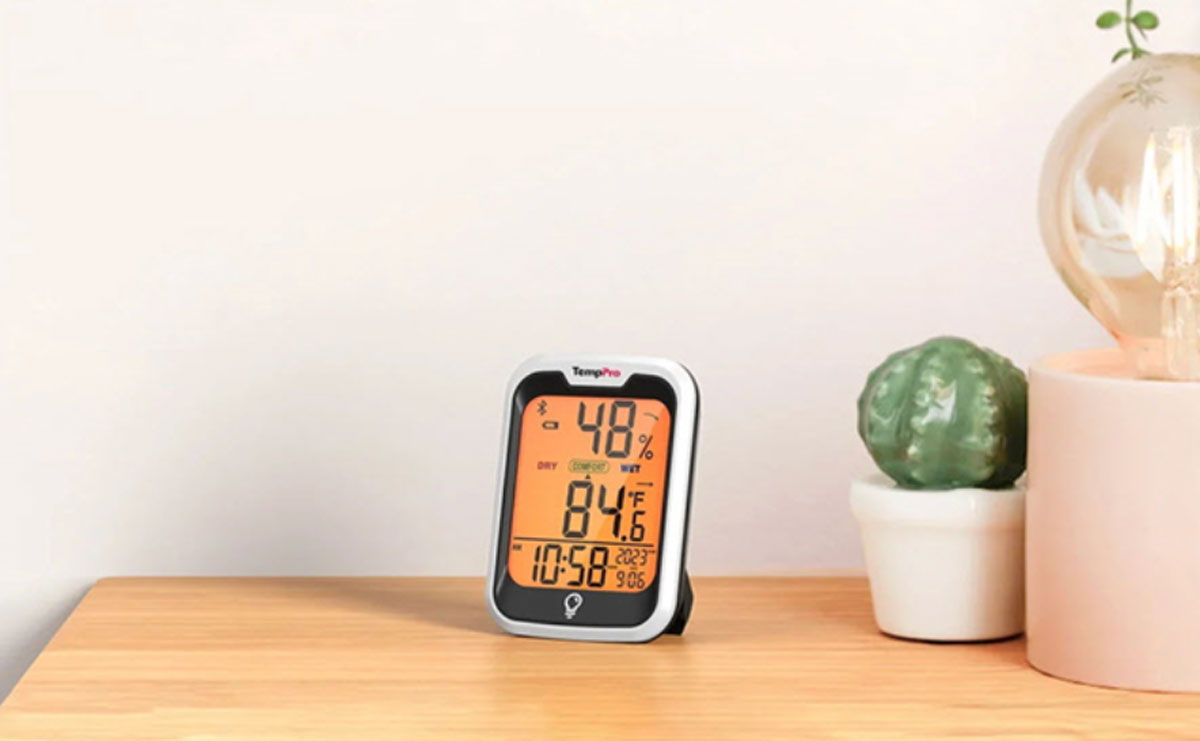
For employees who want a simple way to monitor their workspace, the TempPro TP358 Bluetooth Indoor Hygrometer Thermometer combines temperature and humidity monitoring with Bluetooth connectivity and historical data tracking.
The TempPro TP358 measures temperature and relative humidity and refreshes readings every 10 seconds. It offers temperature accuracy of up to ±0.9°F and humidity accuracy of ±2% RH. ThermoPro is now TempPro. While its name has changed, its products, quality, and commitment to customer service remain the same.
Key Features of the TempPro TP358
l Bluetooth 5.0 connectivity: The TempPro TP358 has a stated Bluetooth transmission range of up to 260 feet in unobstructed conditions, allowing you to check readings remotely through the app.
l Real-time temperature and humidity monitoring: The device refreshes readings every 10 seconds, making it easy to see whether your workspace is getting warmer, colder, drier, or more humid.
l Custom temperature and humidity alerts: You can set preferred ranges and receive notifications when conditions move outside those limits. This is useful when you want to know that your office environment has changed without constantly checking the display.
l Historical data tracking: The TempPro TP358 can display temperature and humidity trends and allows you to export up to two years of historical data. This makes it useful for identifying recurring changes throughout the day or across different seasons.
l Easy-to-read backlit display: Its backlit LCD shows temperature, humidity, time, and comfort information at a glance, making it easy to check without opening the app.
Why Is the TempPro TP358 Useful for Office Workers?
The biggest advantage for an office worker isn’t simply knowing that the room is 74°F. It’s being able to understand how your workspace changes throughout the day.
For example, you could place the TempPro TP358 near your desk and discover that your workspace becomes unusually dry after the AC runs for several hours. Instead of guessing why your eyes or skin feel uncomfortable, you have actual humidity data to discuss with your facilities team.
The Bluetooth connection is also convenient if the monitor is placed somewhere that isn’t within easy reach. You can check conditions from your phone rather than walking over to the device. And because the TP358 can record historical data, you can look beyond today’s reading and identify recurring patterns.
For a busy employee, that’s much more practical than constantly adjusting the thermostat based on how the room feels at a particular moment.
A Simple Office Temperature and Humidity Monitoring Routine
You don’t need to spend all day watching a thermometer.
Try this simple routine:
Step 1: Measure your normal workspace.
Place a thermometer and hygrometer near your desk in a representative location.
Step 2: Check the readings at different times.
Compare conditions in the morning, around lunchtime, and in the afternoon.
Step 3: Watch for repeated patterns.
One unusual reading isn’t necessarily a problem. Repeated changes are more useful.
Step 4: Compare temperature and humidity together.
A room that feels uncomfortable may not have a temperature problem alone. Humidity may also be contributing.
Step 5: Make reasonable adjustments.
Depending on the situation, this could mean changing your workstation position, adjusting an approved thermostat setting, improving airflow, or contacting your building’s facilities team.
Step 6: Continue monitoring.
Check whether the adjustment actually improved the conditions.
Remember that employees generally should not make changes to building HVAC equipment themselves. For persistent temperature, humidity, ventilation, or moisture problems, contact your employer, facilities team, or a qualified HVAC professional.
FAQs About Office Temperature and Humidity
Q1.What is the best temperature for an office in summer?
A practical summer comfort range is around 73°F to 79°F, although individual preferences vary.
Q2.What is the ideal humidity level for an office?
A relative humidity level of approximately 40% to 50% is a useful target for office comfort. Humidity below 30% may increase complaints related to dryness, while higher humidity can contribute to stuffiness, condensation, and moisture problems.
Q3.Can high humidity make an office feel hotter?
Yes. High humidity can make an environment feel more uncomfortable because moisture in the air affects how effectively your body can cool itself. High humidity can also contribute to a stuffy indoor environment.
Q4.Is 30% humidity too low for an office?
Thirty percent is near the lower end of a commonly recommended comfort range. If humidity repeatedly falls below 30%, some people may experience increased dryness of the skin, eyes, nose, or throat.
Q5.How can I measure humidity at my desk?
A digital hygrometer can measure relative humidity directly. The TempPro TP358 can also allow you to monitor readings remotely and track changes over time.
Q6.Should I use a humidifier at work?
A humidifier may help in an excessively dry environment, but it should be used carefully and maintained properly. Poorly maintained humidifiers can introduce biological contaminants into the indoor environment.
Q7. Why does my office feel cold when the thermostat says the temperature is normal?
Temperature is only one part of thermal comfort. Air movement, drafts, clothing, humidity, sunlight, and the location of your workstation can all affect how warm or cold you feel. If your desk is directly beneath an AC vent, for example, you may feel colder than someone elsewhere in the room.
Final Thoughts
You can’t control every aspect of your office, but you can better understand the environment around you. During the hot and humid month, air conditioning can create a unique combination of cool temperatures and low humidity indoors, while outdoor moisture can contribute to higher humidity in other areas. Rather than guessing whether your workspace is too hot, cold, dry, or humid, monitoring temperature and relative humidity gives you useful information to work with.
A comfortable office isn’t necessarily the coldest office or the warmest office. The goal is to create a relatively stable environment where most people can work comfortably without constantly noticing the temperature or humidity.
For employees who want an easy way to keep track of their personal workspace, the TempPro TP358 Bluetooth Indoor Hygrometer Thermometer provides real-time readings, Bluetooth monitoring, custom alerts, and historical temperature and humidity data in one compact device.
Sometimes, improving your work environment starts with something as simple as knowing what the air around you is actually doing.