
5 Easy Ways to Check Your Vanilla Prepaid Balance
By Space Coast Daily // September 1, 2026
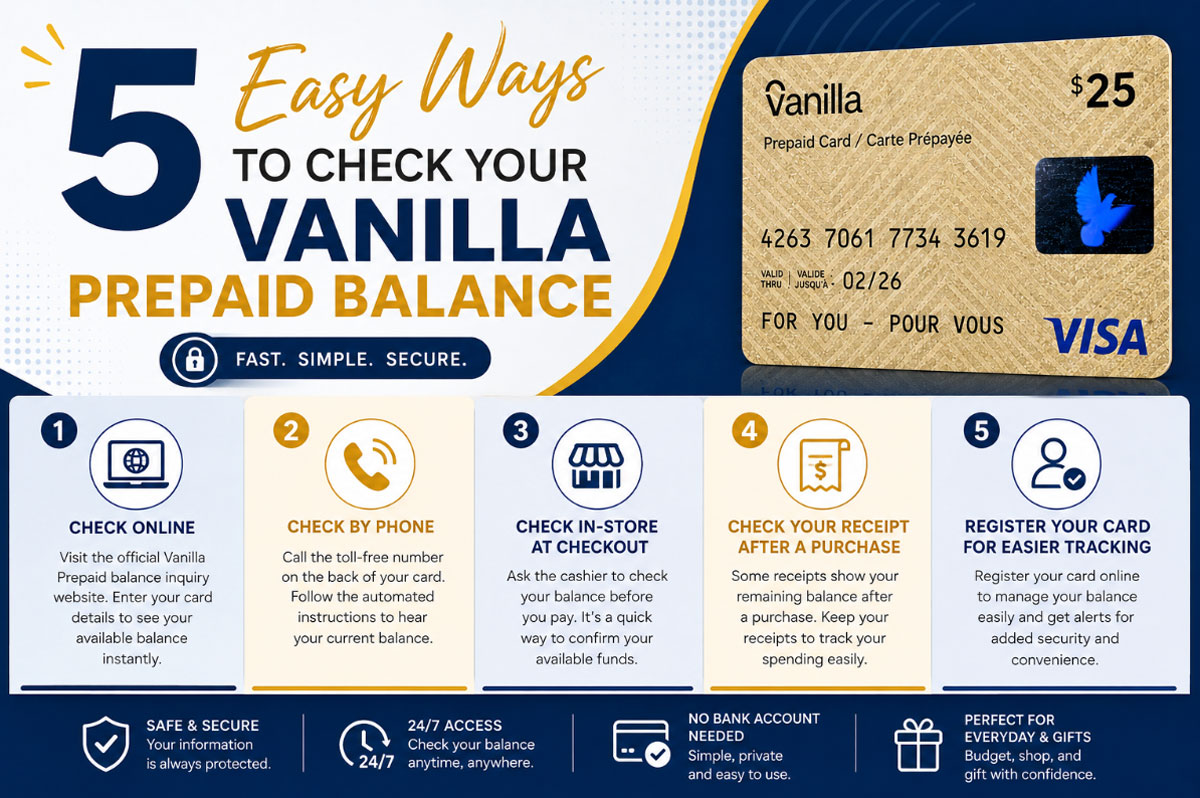
We’ve all been there: standing at checkout, card in hand, silently hoping there’s enough left to cover the total. That moment of uncertainty is exactly why knowing how to check your Vanilla Prepaid balance matters. Whether you received one as a gift or bought it yourself for budgeting or online shopping, staying on top of your balance means fewer surprises and smoother transactions.
What Is a Vanilla Prepaid Card?
A Vanilla Prepaid Card is a reloadable or single-load prepaid card that works much like a debit card, but isn’t tied to a bank account. You load it with a set amount of money and spend it wherever the card network (Visa, Mastercard, etc.) is accepted. People often use them for gifting, budgeting, online purchases, or as a safer alternative to carrying cash. Because the funds are fixed at the time of purchase or loading, keeping track of your remaining balance is essential to avoid declined transactions.
Method 1: Check Your Balance Online
The most convenient and quickest way to check your balance is on the official website of Vanilla Prepaid. Here’s how to check the balance:
• Go to the official website and you’ll see the balance check form.
• Enter the card number, expiration date, and the security code (CVV).
• Fill out and submit the form to view your available balance instantly.
Hint: Mark the balance check page if you use the card more than once. Be extra careful to make sure that you are on the official website before entering any card information.
Method 2: Check by Phone
Prefer not to check your balance online? You can use the phone number printed on the back of your Vanilla Prepaid card. Many cards provide an automated customer service system that lets you check your available balance quickly.
• Call the number listed on the back of your card.
• Follow the automated prompts, which may ask you to enter your card number or other details.
• Listen for your balance, which the automated system will provide once your information is verified.
Note: Do not call without the card; you’ll need the card number in your hand. Many of these automated lines operate 24 hours a day, although you may have to deal with a live person during business hours.
Method 3: Check Your Balance at a Store
Looking for an instant side-by-side comparison just before buying? Many retailers have the ability to log into the prepaid card balance at the point of sale.
Just give your card to the cashier and ask if they can run a balance check before you purchase. It is particularly useful for last-minute checks to see if there is enough money left over for the entire bill.
Method 4: Check Your Receipt After a Purchase
A trick many don’t know: Once you use your Vanilla Prepaid card to buy something, look at your receipt. Some of the transactions automatically print the remaining amount at the bottom of the receipt.
It’s easy and requires no extra steps to keep up to date on your balance each time you use the card. If you are using the card for budgeting, it would be wise to keep these receipts to monitor spending over the years and determine how fast your money is going.
Method 5: Register Your Card for Easier Tracking
It is not necessary, but it can be even easier to track your balance if you register your Vanilla Prepaid card. These are, in general, the basic details that will be required in order to register, for example, your name, your e-mail, and sometimes your billing address.
There are many benefits to registering:
• Using an online account to help balance information is easier to use.
• Card Protection in case the card is lost or stolen.
• A feature that allows you to get alerts or notifications related to your card activity.
Registration is a good optional extra if you’re planning on using your card regularly, or if it will contain a substantial amount of money.
Common Issues When Checking Your Balance
There could be a glitch in checking your balance at times. A few of the possible problems and their significance:
• Balance is 0$ or appears incorrect: This may indicate that the card has not yet been activated, or that a recent transaction has not yet been completely processed. Wait for a couple of minutes and repeat.
• Card not recognized: Ensure that you entered the card number, expiration date, and CVV correctly. A single typo can cause an error.
• Persistent problems: If the issue continues after multiple attempts, it’s best to contact customer support directly using the number on the back of your card for further assistance.
Final Thoughts
It doesn’t take a guessing game to check the Vanilla Prepaid balance. There are a number of ways to stay informed, from online to over the phone, in-store, on receipt, or using a registered account. Regular balance checks will help prevent declined transactions and help you maximize your card.
Save this guide for future quick reference when checking out your Vanilla Prepaid Balance.