
Digital Business Card iPhone: How Is It A Game-Changer for Entrepreneurs
By Space Coast Daily // May 1, 2024
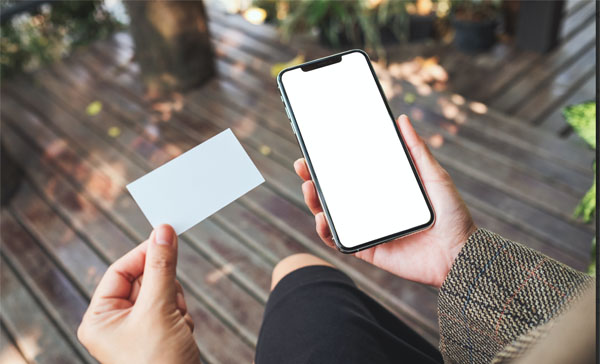
■ Enhanced Connectivity: Digital business cards allow entrepreneurs to share contact information effortlessly, integrating advanced technology for superior networking.
■ Cost-effective and Eco-friendly: These cards reduce waste and costs by eliminating the need for physical cards and frequent updates.
■ Seamless iPhone Integration: Features like NFC, Apple Wallet, and Siri Shortcuts on iPhones enhance the utility and accessibility of digital business cards.
Are you still using traditional paper business cards? In the digital age, there’s a smarter way to network. Digital business cards on the iPhone are transforming how entrepreneurs share their contact information, offering a seamless blend of technology and convenience that paper cards can’t match.
That said, this guide explores how digital business cards on the iPhone are revolutionizing entrepreneurial networking. It examines the benefits of traditional methods and the technology that enables such advancements and provides actionable tips on effectively using digital business cards to enhance professional interactions and growth.
What Is A Digital Business Card?
A digital business card is an electronic form of a traditional business card designed to be shared and accessed through digital devices, such as smartphones, tablets, and computers. Unlike physical cards, digital business cards are not confined to a piece of paper; they are typically shared via email, a URL, QR codes, or through a specialized digital business card app that facilitates the exchange of contact information. These cards can include not only basic contact info like name, phone number, and email address but also links to social media profiles, websites, and even multimedia content like videos.
Benefits Of Using Digital Business Cards
Digital business cards offer several compelling benefits that make them an attractive choice for professionals in various industries. Here are some of the key advantages:
- Eco-Friendly
Digital business cards provide a greener alternative to traditional paper cards. By eliminating the need for paper, they reduce waste and the environmental impact associated with the production and disposal of conventional cards.
- Cost-Effective
Over time, digital business cards can be more cost-effective than their physical counterparts. There are no costs for printing or distributing physical cards, and updates can be made to digital cards without any additional expense, eliminating the need to reprint when contact information or job details change.
- Ease of Sharing
Digital business cards can be shared with anyone, anywhere, at any time, with just a few clicks. They can be sent through email, text messages, or shared via a link or QR code, making it easier to connect with contacts met through various virtual platforms or in-person events.
- Always Up-to-Date
One of the most significant advantages of digital business cards is that they can be updated instantly. If your job title, phone number, or email address changes, you can update your digital card and ensure that everyone you’ve shared your card with has the most current information.

- Enhanced Functionality
Digital business cards can include more than just basic contact information. They can feature links to social media profiles, websites, portfolios, embedded videos, and even include a call-to-action, such as ‘Schedule a Meeting’ or ‘Visit Our Website.’ This added functionality turns a simple contact exchange into a comprehensive introduction to your professional persona.
- Better First Impressions
A well-designed digital business card can be customized to reflect your brand, helping to make a memorable first impression. The ability to include multimedia elements and interactive links provides a dynamic interaction with your contact information, setting you apart from others who may still use traditional cards.
Integration With iPhone Features
Digital business cards are exceptionally functional and versatile when used with iPhones, given the vast array of features that iOS devices offer. Here’s how you can integrate these cards with various iPhone capabilities to enhance their utility and user experience:
- Near Field Communication (NFC)
iPhones equipped with NFC technology allow users to share their digital business cards seamlessly by simply tapping their phone against another NFC-enabled device. This feature enables instant sharing of contact information in a physical setting, making it as convenient as handing out traditional business cards.
- Apple Wallet Integration
Digital business cards can be saved directly to Apple Wallet, making them easy to access and share at any time. This integration ensures that users can keep their digital cards alongside tickets, loyalty cards, and other essential passes, all in one central location on their iPhones.
- QR Code Generation and Scanning
iPhones have built-in capabilities to scan QR codes, which can be used to share digital business cards. Users can generate a personal QR code that links directly to their digital card, and others can scan this custom QR code using the iPhone’s camera to receive and save the card’s information instantly.
- Contacts App Sync
When an electronic business card is received on an iPhone, the information can be easily added to the Contacts app. This integration allows for the automatic update and management of contact details, keeping information organized and readily accessible.
- Siri Shortcuts
iPhone users can create Siri shortcuts to share their digital business cards, enabling voice-activated commands like ‘Hey Siri, share my business card.’ This feature makes sharing effortless and can be particularly useful during meetings or networking events.
- iMessage Integration
Digital business cards can be shared directly through iMessage, allowing iPhone users to send their contact information smoothly during ongoing conversations without needing to switch between apps.
- Airdrop Compatibility
Airdrop allows for the wireless transfer of files and information between iOS devices. By utilizing Airdrop, users can quickly share their digital business cards with nearby iPhone users, enhancing face-to-face interactions and engagements.
Best Practices For Digital Card Management
Effectively managing digital business cards is crucial for maximizing their potential in networking and professional interactions. Here are some best practices for digital card management that can help professionals stay organized and make the most of this modern tool:
- Regular Updates
Ensure that your virtual business card is always up-to-date with current contact details, job titles, and other relevant information. Regular updates prevent miscommunication and maintain the professionalism of your interactions.
- Organized Distribution
Keep track of where and to whom you have distributed your digital business cards. This could involve maintaining a simple spreadsheet or using a dedicated app that tracks distributions and interactions. Knowing who has your card can help tailor follow-up communications and strengthen connections.
- Consistent Branding
Your digital business card should reflect your brand’s identity consistently across all platforms. Ensure that the design, colors, and logos match those used in other marketing materials. Consistency helps reinforce your professional image and makes your brand more memorable.
- Utilize Advanced Features
Take full advantage of the functionalities offered by your digital business card platform, such as links to social media profiles, embedded videos, or interactive elements. These features can enhance the user experience and provide more comprehensive exposure to your professional offerings.
- Privacy Considerations
Be mindful of the personal information you include on your digital business card. Only share details you are comfortable with being widely accessible and consider using privacy features such as QR codes that require permission to access full contact details.
- Backup and Security
Ensure that your digital business cards and the platform you use are secure and regularly backed up. This protects your data from loss or unauthorized access, maintaining the integrity and confidentiality of your professional information.
- Cross-Platform Compatibility
Make sure your digital business card is compatible across different devices and operating systems. This ensures that no matter what device a recipient uses, your card will display correctly and remain functional.
- Feedback and Adaptation
Solicit feedback from recipients of your digital business card about their experience using and accessing it. Use this feedback to make any necessary adjustments that can improve functionality and user satisfaction.
Conclusion
As more individuals and companies recognize their potential, digital business cards are likely to become a standard practice in professional interactions, redefining networking for the digital era. To stay competitive and relevant, embracing this technology is not just an option; it’s becoming a necessity.















