
The Smart Way to Sell Your Old Smartphone
By Space Coast Daily // March 18, 2025
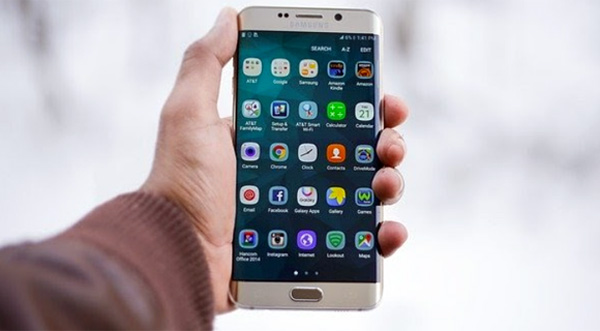
With new smartphone models constantly being released, many people find themselves upgrading every couple of years. But, what do you do with your outdated gadget?
Instead of letting it collect dust in a drawer, selling your old smartphone is a great way to earn extra cash while reducing electronic waste.
However, to get the best deal, you need to follow a smart approach. This guide will help you sell your old smartphone efficiently and maximize its resale value.
1. Back Up and Erase Your Data
Before you sell old phones, it’s crucial to back up your important data and perform a factory reset to remove personal information.
How to Back Up Your Data:
- For iPhones: Go to Settings > [Your Name] > iCloud > iCloud Backup and tap Back Up Now. You can also use iTunes on a computer.
- For Android Phones: Use Google Drive by navigating to Settings > Google > Backup and turning on Back Up to Google Drive.
After backing up your data, erase everything by performing a factory reset:
- iPhones: Go to Settings > General > Transfer or Reset iPhone > Erase All Content and Settings.
- Android Phones: Go to Settings > System > Reset > Factory Data Reset.
This step ensures your personal information doesn’t end up in the wrong hands.
2. Assess Your Phone’s Condition
Your phone’s physical and functional condition greatly affects its resale value. Check for:
- Screen damage (scratches, cracks, dead pixels).
- Battery health (older phones may have reduced battery life).
- Functionality of buttons, speakers, and cameras.
If your phone is in great condition, you can list it for a higher price. If it has some damage, be honest about it in the listing, as many buyers still purchase devices with minor wear and tear.
3. Unlock Your Smartphone
An unlocked phone (one that isn’t tied to a specific carrier) is more attractive to buyers because it allows them to use the device with any carrier.
- For iPhones: Go to Settings > General > About and look under Carrier Lock. If it says “No SIM restrictions”, your phone is unlocked.
- For Android Phones: Insert a SIM card from another carrier. If it works, your phone is likely unlocked.
If your phone is still locked, contact your carrier to request an unlock.
4. Gather Accessories and Original Packaging
Buyers are often willing to pay more if the phone comes with:
- The original box
- Charging cable and adapter
- Headphones (if unused)
- Protective case (optional but appreciated by buyers)
If you have these accessories, include them in your listing to make your offer more appealing.
5. Determine Your Phone’s Market Value
To set a competitive price, check what similar phones are selling for.
Where to Check Prices:
- eBay (Search completed listings to see actual selling prices).
- Swappa (A dedicated marketplace for used smartphones).
- Amazon Trade-In (Offers an estimate for your device).
- Carrier trade-in programs (Check Verizon, AT&T, or T-Mobile for offers).
Phones in excellent condition can be priced higher, while older models or damaged phones will need to be listed for less.
6. Choose the Best Selling Platform
Different platforms offer different benefits depending on how quickly you want to sell and how much effort you’re willing to put in.
Direct Selling (Higher Profit, More Effort)
- eBay – Reach a large audience, but you’ll pay selling fees and handle shipping.
- Facebook Marketplace – No fees, and you can meet local buyers for a quick sale.
- Craigslist – Another local selling option, but beware of scammers.
- Swappa – A trusted platform for selling used smartphones.
Trade-In Services (Lower Profit, Less Effort)
- Apple Trade-In – Good for Apple users upgrading to a new iPhone.
- Best Buy & Amazon Trade-Ins – Convenient, but offers lower payouts.
- Carrier Trade-Ins – Useful if you’re upgrading through your carrier.
If you want maximum profit, selling directly on eBay or Facebook Marketplace is best. If you prioritize convenience, trade-in programs are a hassle-free option.
7. Create an Effective Listing
A good listing can help your phone sell faster. Make sure to include:
- A clear title (e.g., “Unlocked iPhone 12 Pro – Excellent Condition – 256GB”).
- An honest description (mention scratches, battery life, and included accessories).
- High-quality photos (clean the phone and take pictures in good lighting).
Providing detailed and accurate information helps attract serious buyers and prevents disputes.
8. Negotiate and Avoid Scams
When dealing with buyers, be prepared for some negotiation. However, watch out for scammers, especially on platforms like Craigslist or Facebook Marketplace.
Red Flags to Avoid:
- Buyers who offer more than your asking price (a common scam).
- Requests to ship the phone before receiving payment.
- Buyers asking you to use unsecured payment methods like PayPal “Friends and Family.”
For local sales, meet in a public place (such as a police station or shopping mall) and accept cash or secure payment apps like Venmo or Zelle.
9. Finalize the Sale Securely
Once you’ve agreed on a price and a buyer:
- For in-person transactions: Accept cash or use a secure payment app.
- For online sales: Use PayPal Goods & Services or eBay’s payment system for protection.
Before Handing Over the Phone:
- Remove your Apple ID or Google account.
- Remove the SIM card.
- Provide a printed or emailed receipt for the buyer if necessary.
Sell Your Old Smartphone
Selling your old smartphone doesn’t have to be difficult. By backing up and erasing your data, checking the phone’s condition, unlocking it, and choosing the right selling platform, you can ensure a smooth transaction and get the best possible price. Whether you sell it directly to a buyer or trade it in, following these smart steps will help you make the most of your old device.















