Best Construction Time Tracking Software to Improve Efficiency in 2026
By Space Coast Daily // April 29, 2026
Paper timesheets and unchecked punch-ins drain thousands from every contractor’s bottom line each year. Estimates show that unverified time tracking costs the average construction employer over $4,285 per worker annually through buddy punching, time rounding, and simple errors.
The construction software market is projected to hit $21 billion by 2032, with time tracking and workforce tools accounting for a major slice of that growth as firms look to stop manual entry and get real job costing data.
Picking the right platform decides whether you capture accurate field hours, cut payroll mistakes, protect job cost data, and stay on the right side of overtime and labor laws across every active site.
This guide walks through 5 top construction time tracking tools in 2026, covering everything from schedule-connected tracking and GPS apps to free platforms, mileage capture systems, and standalone biometric hardware.
How to Select Top Construction Time Tracking Software
Here is what matters when you shop for a time tracking tool:
• GPS verification and geofencing accuracy: Construction time tracking tools must confirm field workers are actually on-site at the point of clock-in. Verifying the GPS accuracy and geofencing approach of a tool before selecting it prevents paying for hours never worked.
• Payroll and accounting connectivity: Time data is only useful when it flows into payroll without manual re-entry. Confirming that a tool has native connections with your specific payroll or accounting platform (QuickBooks, ADP, Sage, Foundation, etc.) before purchasing prevents building a system that requires manual bridging.
• Offline functionality: Construction sites routinely have no mobile signal. Selecting a tool with reliable offline mode that syncs automatically when connectivity resumes prevents missing clock data from basements, remote sites, and parking structures.
• Buddy punching and time fraud prevention: Confirming whether a tool uses photo verification, biometric facial recognition, or PIN-plus-geofence controls before selecting prevents deploying a system that reintroduces the same fraud vulnerabilities you are trying to eliminate.
• Ease of use for field workers: A time tracking tool only works if field workers actually use it consistently. Evaluating how many taps or steps a worker must perform to clock in and out before selecting a platform determines whether you will achieve the adoption rates that make the data reliable.
Best Construction Time Tracking Software in 2026
These five platforms cover the full range of construction time tracking needs in 2026:
1. Planera
2. busybusy
3. Clockify
4. Workyard
5. SmartBarrel
Best Construction Time Tracking Software
1. Planera
• Founded: Planera was founded in November 2021 in San Jose, California by CEO Nitin Bhandari and co-founders Erik Swenson, Saif Lodhi, Wahid Tadros, and Noor Lodhi.
• Funding: Total funding of $26.5M, including a $13.5M Series A (August 2024) and $8M follow-on (October 2025).
• Compliance: SOC 2 Type II certified; built-in DCMA 14-Point schedule quality check; manages 50M+ schedule days.
• Connections: Procore and Autodesk Construction Cloud native links; P6 (.xer) and MS Project (.mpp) import/export; iPad field access for on-site schedule updates.
• Pricing: Project-based pricing (not per user). All team members access schedules without extra per-seat costs.
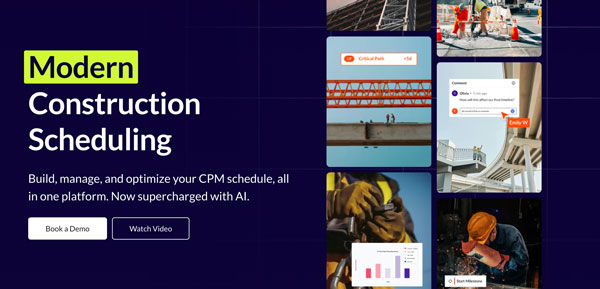
Founded in San Jose in November 2021, Planera is a cloud-native visual CPM scheduling platform built for general contractors and specialty subcontractors. It lets project teams track field progress against master schedules using a digital whiteboard interface and iPad access for on-site updates. By connecting field execution directly to the schedule through real-time collaboration tools, Planera helps construction teams track planned vs. actual time spent at the task and phase level, giving project managers live visibility into schedule performance without requiring dedicated scheduling specialists. Clients include Skanska, Balfour Beatty, HITT Contracting, Big-D Construction, and Zachry Construction.
Best For: General contractors and project management teams who want to track field progress and time against CPM schedules in real time, replacing the disconnect between office schedules and on-site execution with a single collaborative platform.
Standout Feature: Project-based pricing that gives unlimited team members (from schedulers to superintendents to field crews) simultaneous access to the same live schedule without adding per-seat costs, backed by SOC 2 Type II certification and 50M+ schedule days managed.
2. busybusy
• Founded: busybusy was founded in 2010 by Isaac Barlow in Saint George, Utah; acquired by Align Technologies (formerly ToolWatch) on December 8, 2023.
• Scale: 55,000+ active customers across 30+ countries; reduces payroll time by 67% according to the company.
• Funding: $8.5M in funding, including a Series A investment led by Caterpillar.
• Features: GPS breadcrumbing, offline mode, digital timecard signatures, equipment tracking, job costing, unlimited photo storage, daily reports, scheduling, progress tracking, safety sign-offs, and BusyPayroll built-in payroll processing.
• Connections: QuickBooks, Procore, Sage, Viewpoint, Foundation, ComputerEase, ADP, Paychex; available in English and Spanish; 90-day money-back guarantee; no contracts.
Founded in 2010 by Isaac Barlow (a construction industry veteran from Saint George, Utah), busybusy grew from a direct observation of how paper timecards and inaccurate tracking undermined field operations. It reached 55,000+ customers in over 30 countries before being acquired by Align Technologies in December 2023. The platform covers GPS time tracking, equipment monitoring, job costing, daily reporting, and document management from a single mobile app, connecting with all major construction payroll and accounting platforms. It offers a free tier, a 90-day money-back guarantee, and charges with no contracts.
Best For: Small to mid-sized construction contractors who need a wide-ranging, mobile-first time tracking and job costing platform with GPS breadcrumbing, equipment tracking, and connections with all major payroll systems at a flexible pricing structure with no long-term commitment.
Standout Feature: A 90-day money-back guarantee and no-contract billing model combined with GPS breadcrumbing, equipment usage tracking, and a built-in payroll service, giving construction firms a low-risk path to replacing paper timecards with a fully connected field management system.
3. Clockify
• Launched: Clockify was launched in 2017 by CAKE.com Inc. (founded 2009 by Nenad Milanović), headquartered in Novi Sad, Serbia, with a US office in San Francisco, California.
• Scale: Used by millions of users worldwide including Hewlett Packard Enterprise, American Express, Siemens, and Nestlé; $26.4M in revenue as of 2023.
• Pricing: Free forever for unlimited users and projects; paid plans start at $3.99/user/month; available on desktop (Windows, Mac), and mobile (iOS, Android).
• Features: Timer and manual time entry, timesheets, project and task tracking, billable hours, reporting and analytics, GPS tracking (paid plans), kiosk mode, scheduling, and invoicing.
• Connections: 80+ links including Jira, Trello, Asana, Slack, QuickBooks, Salesforce, and Monday.com; GDPR compliant.
Clockify was launched in 2017 by CAKE.com Inc. (a software company founded in Novi Sad, Serbia in 2009 by Nenad Milanović) after Milanović built the tool internally to replace a $500/month time tracking subscription for his own agency, then released it publicly to millions of users worldwide. Available entirely free for unlimited users and projects, Clockify offers timer-based and manual time entry, detailed reporting, project budget tracking, kiosk mode, and optional GPS tracking on paid plans, making it one of the most cost-accessible options in the market.
Best For: Small construction companies, freelance trades, or growing teams that want a free, unlimited-user time tracking platform with strong reporting, 80+ connections, and the flexibility to scale to paid plans as their tracking and invoicing needs grow.
Standout Feature: A permanently free plan that imposes no limit on users or projects, allowing small construction firms or trades businesses to deploy full time tracking, reporting, and kiosk mode across an entire crew without any per-user cost.
4. Workyard
• Founded: Workyard was founded in 2016 by Nicolas De Bonis (CEO) and Alexandra De Bonis (Co-Founder) in San Mateo, California; the founders previously ran a construction staffing business that managed 100+ contractors.
• Funding: $6.9M in total funding; fine-tuned through deployment with 50,000+ construction workers.
• Pricing: Starts at $5.49/user/month plus a $19/month base fee; companies report saving up to $2,000 per employee annually.
• Features: Proprietary Meerkat GPS algorithm, continuous GPS and mileage tracking, automatic site detection, polygon geofencing, photo ID verification, scheduling, cost code tracking, labor compliance, offline sync, and Smart Forms.
• Connections: QuickBooks (Desktop and Online), ADP, Gusto, Sage 300 CRE, Foundation, Procore, Paychex, Paylocity, ComputerEase; English and Spanish support.
Founded in 2016 by siblings Nicolas and Alexandra De Bonis in San Mateo, California (after direct experience managing 100+ construction contractors through their staffing business), Workyard is a GPS-first construction time tracking platform built around the proprietary Meerkat algorithm, which captures continuous high-accuracy location data while conserving phone battery life. The platform provides automatic site detection, mileage tracking, polygon geofencing, photo ID verification, labor compliance tools, cost code allocation, and offline sync, with one-click payroll export to all major accounting platforms.
Best For: US-based construction contractors and specialty trades firms that focus on high-accuracy continuous GPS tracking, automatic mileage capture, and one-click payroll export, especially those managing crews across multiple job sites throughout each work day.
Standout Feature: The proprietary Meerkat GPS algorithm that captures precise continuous location data (including exact driving routes and mileage between sites) while conserving battery life, giving contractors a verified audit trail of every minute worked and every mile driven without draining field workers’ phones.
5. SmartBarrel
• Founded: SmartBarrel was founded in 2016 by Albert Bou Fadel (CEO), a 10-year glass and glazing construction veteran, headquartered in Miami Beach, Florida.
• Funding: $10.5M in total funding; the company raised a round of just under $6M in 2025.
• Scale: 50,000+ workers tracked daily across all 50 US states, Canada, and the Caribbean; supports crews from 50 to 5,000+ workers across 50+ simultaneous job sites.
• Hardware: LTE-connected, solar-powered, weatherproof biometric device (TimeClock 4.0); requires no WiFi, no charging, no phone; workers enter phone number and device captures a photo for AI identity verification.
• Savings: Contractors save $4,285+ per worker annually by eliminating time theft; biometric AI automatically detects PPE compliance (hard hats, safety glasses, vests).
Founded in Miami Beach in 2016 by Albert Bou Fadel (a construction project manager who spent over a decade managing 300+ workers on glass and glazing sites before building SmartBarrel to solve the fraud problem he couldn’t fix with any existing tool), SmartBarrel is a hardware-plus-software biometric time tracking system deployed across all 50 US states, Canada, and the Caribbean. The system’s AI facial verification prevents buddy punching with no phone required, connects with Procore, CMiC, Foundation, Viewpoint Vista, QuickBooks, and PowerBI, and automatically populates daily logs and payroll, saving contractors $4,285+ per worker annually.
Best For: Medium to large construction contractors, specialty subcontractors, and general contractors managing self-perform crews who need hardware-grade biometric verification that eliminates buddy punching without depending on workers’ phones, WiFi, or cell signal.
Standout Feature: A solar-powered, LTE-connected biometric hardware device that verifies worker identity through AI facial comparison at every clock-in (requiring no phone, WiFi, or setup) while automatically scanning for PPE compliance and flowing verified time data directly into payroll, ERP, and job costing systems across 50+ simultaneous job sites.
Factors to Consider When Choosing Construction Time Tracking Software
Match the Anti-Fraud Technology to Your Actual Site Conditions
GPS-based geofencing stops off-site clock-ins but does not prevent a present worker from punching in for an absent colleague. If buddy punching is a documented problem on your sites, only biometric verification (facial, fingerprint, or photo) provides a reliably fraud-proof solution, and the technology selected must work in your specific site conditions including hard hat use, glove use, poor lighting, and limited connectivity.
Verify Payroll Connection Specifics Before Purchasing
Time tracking generates value only when data flows cleanly into your payroll and job costing systems. Confirming that a tool’s link with your specific payroll platform is bidirectional, includes cost code mapping, and handles overtime and prevailing wage rules before committing prevents discovering gaps after deployment that force manual workarounds.
Assess Whether Your Crew Will Use a Phone-Based Solution Reliably
Mobile app time tracking depends entirely on workers having charged phones with signal. Before selecting an app-based solution, honestly assess whether your field crews reliably carry charged smartphones throughout the shift, and consider hardware time clocks as the more dependable option for sites, trades, or workforce profiles where phone dependency has historically created tracking gaps.
Confirm Offline Performance Under Real Site Connectivity Conditions
“Offline mode” varies wildly in reliability across platforms. Confirming that a tool’s offline caching works in the specific connectivity conditions your crews face (underground, in metal structures, or in rural areas) before deploying at scale prevents discovering that the tool’s offline behavior produces gaps or conflicts in timecard data that require manual correction.
Evaluate Total Cost Against Actual Field Adoption Rate
A tool that costs $10/user/month but achieves only 60% crew adoption costs more per accurate timecard than a $25/user/month tool used by 100% of your workforce. Calculating the cost per accurately captured crew hour (not the headline per-seat price) before selecting a platform produces a more accurate picture of which option delivers the best return on your time tracking spend.
Final Thoughts
Your first step is matching the anti-fraud technology to your actual crew profile and site conditions. A phone-based GPS app is the right choice for a small, tech-comfortable crew working in a connected area, while a hardware biometric device delivers more reliable results for large, high-turnover, or multi-sub-contractor sites where phone dependency creates tracking gaps. Payroll connection is the second filter. A tool that does not connect cleanly with your specific accounting platform shifts the administrative burden rather than removing it. Run a genuine field trial with your actual workers before committing to any platform.